A content template holds reusable body content for documents: text, variables, and tables. You create it once under Content templates, and everyone in your organization can apply it when creating a document.
Before you start
- You can open Organization Settings in SDX-Cloud.
Create the template
- Open Organization Settings, then Settings, then Content templates. The project Settings menu lists Content templates as well.
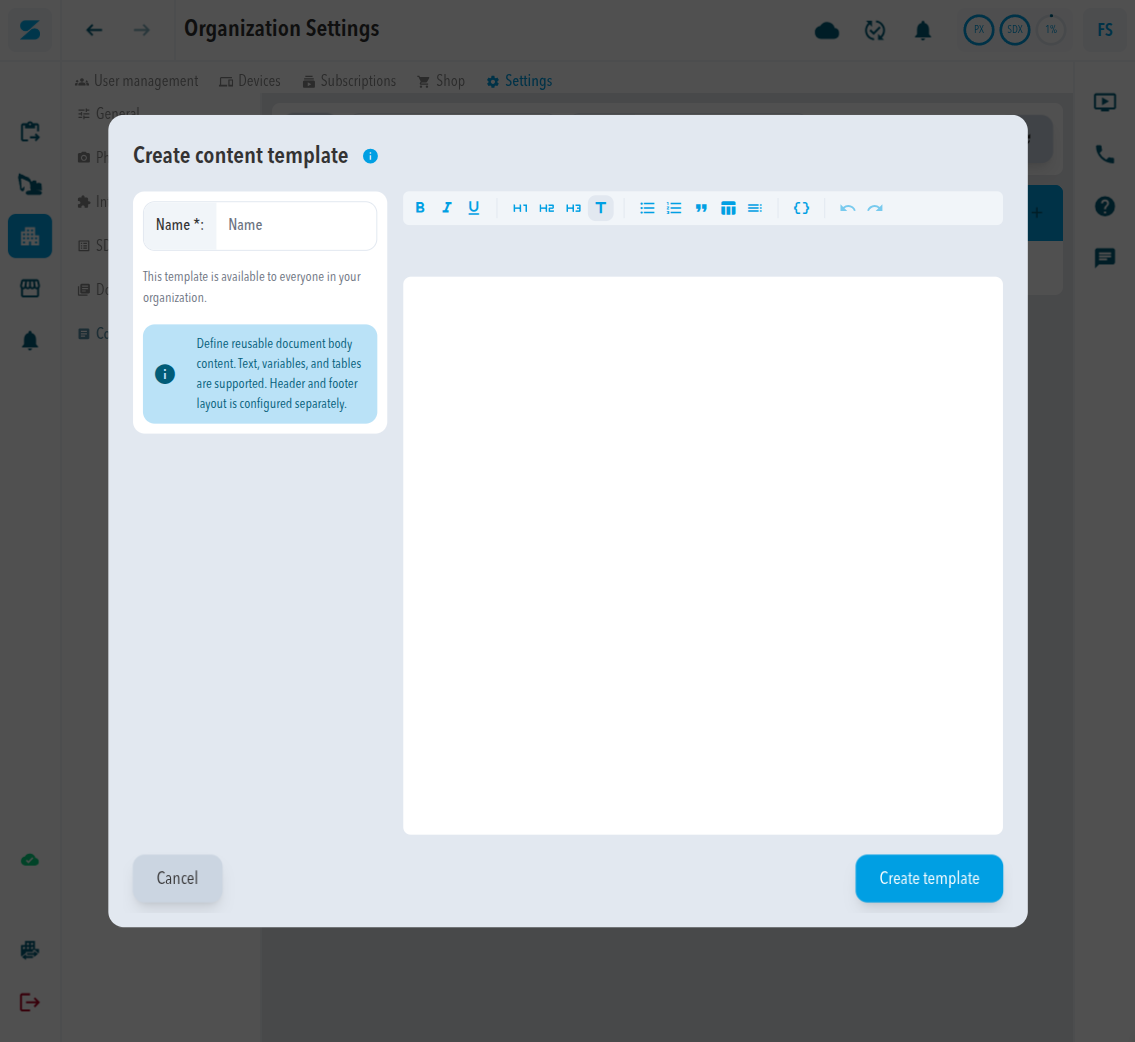
- Click the add icon.
- Enter a Name.
- Write the body in the editor. The toolbar offers bold, italic, underline, heading, bulleted list, numbered list, quote, table, table of contents, and variable.
- Click Create template.
Expected result
The template appears in the Content templates table. Pick it under Apply content template when you create a document.
The dialog states that header and footer layout is configured separately. Use a layout for those.
Comments
0 comments
Please sign in to leave a comment.