A calibration can start only when the package is complete. Prepare the items below, check that the link or attachment opens, and tell Sodex Support whether this is a first installation or a recalibration.
Before you start
- The SDX-4DVision is installed and you can see the LiDAR unit and its mounting.
- You know the system serial number.
- You know the machine manufacturer, model, and machine ID.
Prepare the package
- Write down the system serial number, and the machine manufacturer, model, and machine ID.
- State whether this is a first installation or a recalibration.
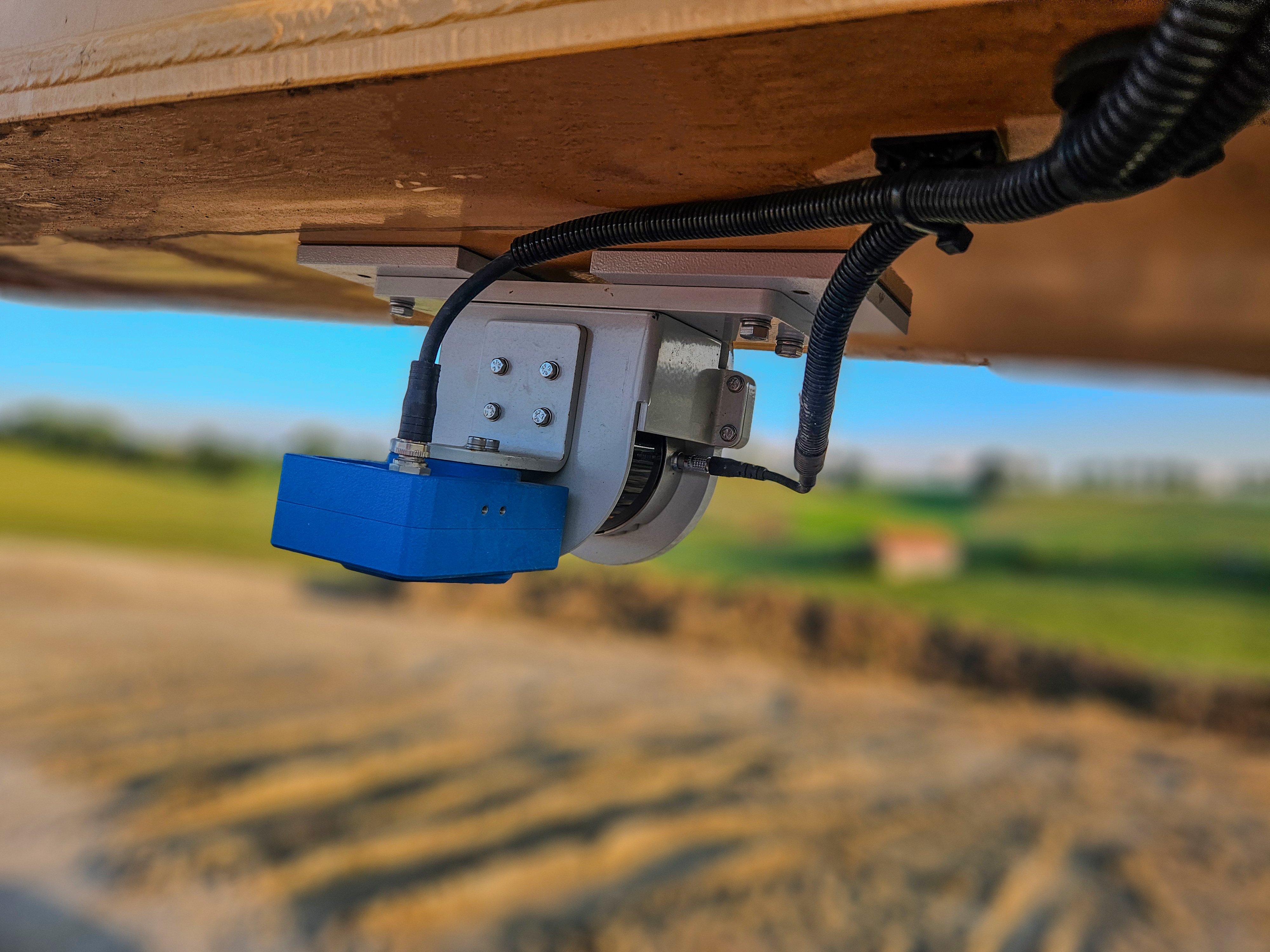
- Take photos that show the mounting of the LiDAR unit (DVU10), how it is fastened, the current angles, and the offsets.
- Collect the complete measure-up data and the related .dc and .cal files.
- Add the RTK and ground control point information, and a link to the SDX-Cloud project or dataset if there is one.
- Describe the expected result and what you observe, with the error text or the measured deviation.
- Send the package to Sodex Support. Open the link or attachment yourself first to confirm that it can be read.
Expected result
Support receives one complete package and can start the calibration without asking for more files. Send later additions to the same case, not as a new one.
What to send to Sodex Support
- Everything in the steps above
Comments
0 comments
Please sign in to leave a comment.