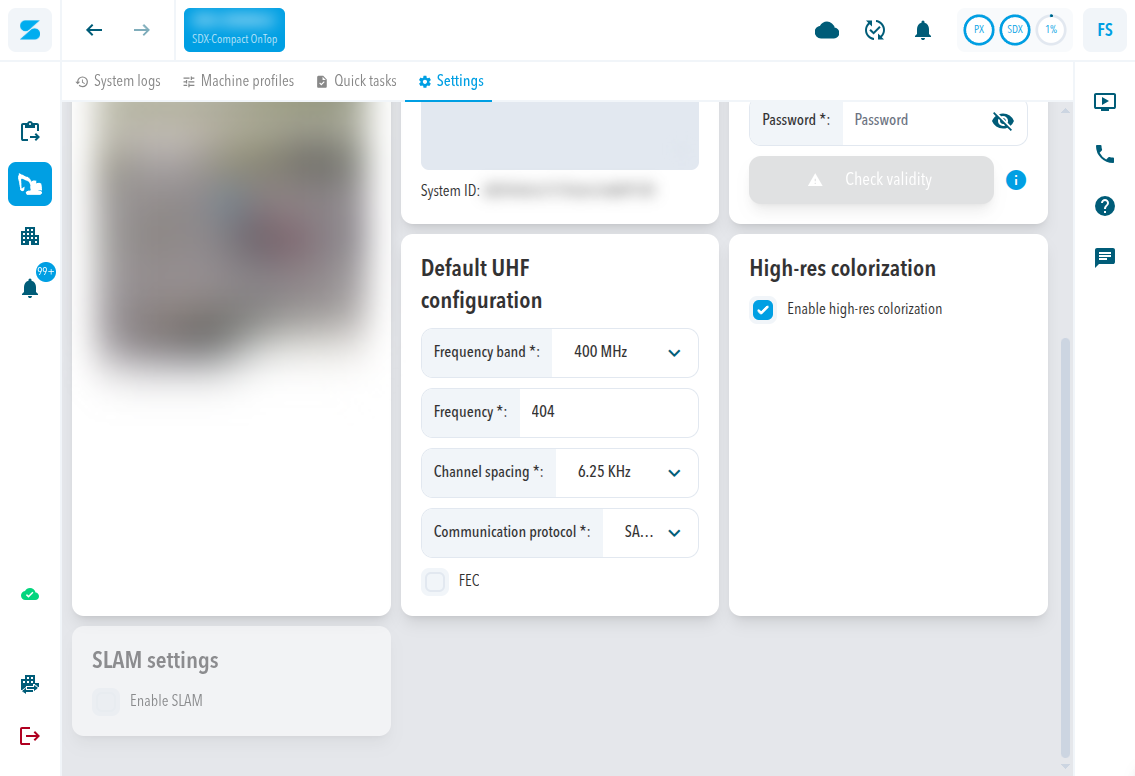
A UHF radio sends RTK corrections from your own base station to the SDX-Compact or SDX-Compact OnTop, so the system can work without an internet connection. SDX-Cloud offers two radio bands, 400 MHz and 900 MHz Freewave. For 900 MHz Freewave, Leica base stations are currently supported.
When to use a radio instead of NTRIP
RTK accuracy needs a correction data service. The Correction Data Service works over the internet with NTRIP. A UHF radio works without internet: the base station on your site broadcasts the corrections and the radio in the system receives them.
Choose UHF when the site has no reliable mobile coverage or when you already run your own base station. Choose NTRIP when you use a correction service over the internet.
400 MHz and 900 MHz Freewave
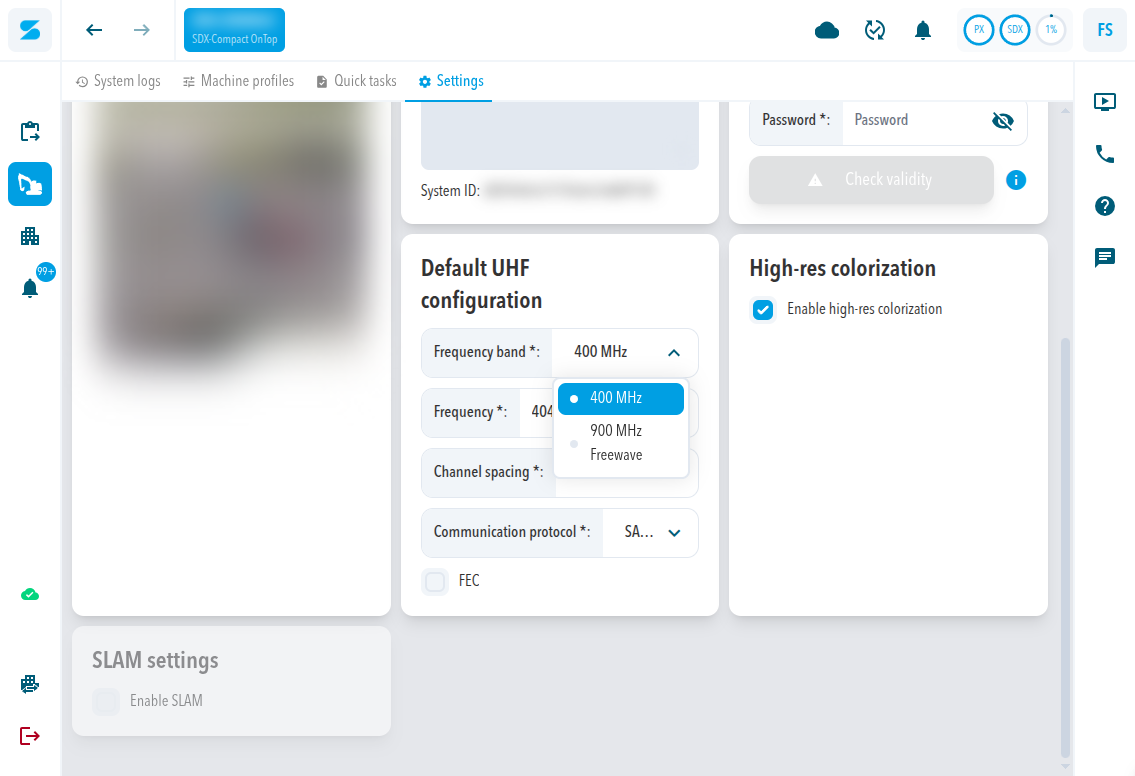
In SDX-Cloud, Frequency band offers two options: 400 MHz and 900 MHz Freewave.
A 400 MHz radio listens on one fixed frequency. A 900 MHz Freewave radio hops across the band, and about ten radio settings must match the base station for the hopping to line up. Base station makers hide those settings behind a channel number, so in SDX-Cloud you only pick the base station and the channel.
| Band | What you set in SDX-Cloud |
|---|---|
| 400 MHz | Frequency, Channel spacing, Communication protocol, and FEC. They must match the base station. |
| 900 MHz Freewave | Base station and Channel. SDX-Cloud sets the remaining radio parameters for you. |
Supported base stations
The 900 MHz band (902 MHz to 928 MHz) is used in the United States and Canada.
| Band | Base station | Support |
|---|---|---|
| 900 MHz Freewave | Leica | Supported. Set up with the steps in SDX-Cloud: Set up a Leica 900 MHz base station for UHF corrections. |
| 900 MHz Freewave | Any other make | Contact Sodex Support before you plan the site. |
| 400 MHz | No base station selection | Set Frequency, Channel spacing, Communication protocol, and FEC to match your base station. |
Requirements
- The system runs SDX-Framework 2.12.0 or newer for 900 MHz Leica base stations. The version appears in the
system_onlineentry of the system logs or in the SDX-Mate settings. - The base station transmits on the same band, and for 900 MHz on the same channel, as the system.
- The radio does not accept CMR corrections.
Where the settings are
Go to Project Settings > Systems and open the settings of the system. On the Settings tab, Default UHF configuration sits next to Default correction service.
Check that the radio works
The system logs show the result. On a 400 MHz system:
- The config uhf entry lists the UHF configuration that was applied: frequency, channel spacing, modulation protocol, and FEC.
- The radio bytes per minute entry shows the radio traffic in kilobits (
radio_kbits) and kilobits per second (radio_kbits_per_second).
See System Logs Screen.
Comments
0 comments
Please sign in to leave a comment.