The system shows no RTK corrections, and a UHF radio is set up. Work through the checks in order; the first one that fails is the likely cause.
Check the software version
For 900 MHz Leica base stations the system needs SDX-Framework 2.12.0 or newer. Open System logs and read the version in the system_online entry. If the version is older, update the system first.
Check the base station and the channel
For a 400 MHz base station, check that Frequency, Channel spacing, Communication protocol, and FEC match the base station.
- Check that the base station is a Leica and that it transmits on 900 MHz.
- Go to Project Settings > Systems and open the settings of the system.
- On the Settings tab, in Default UHF configuration, check that Frequency band is 900 MHz Freewave and that Base station is Leica.
- Check that Channel is the channel that is set on the base station.
Check that the base station transmits
Confirm on the base station itself that it is sending corrections. A system cannot receive what is not transmitted. The radio does not accept CMR corrections.
Read the system logs
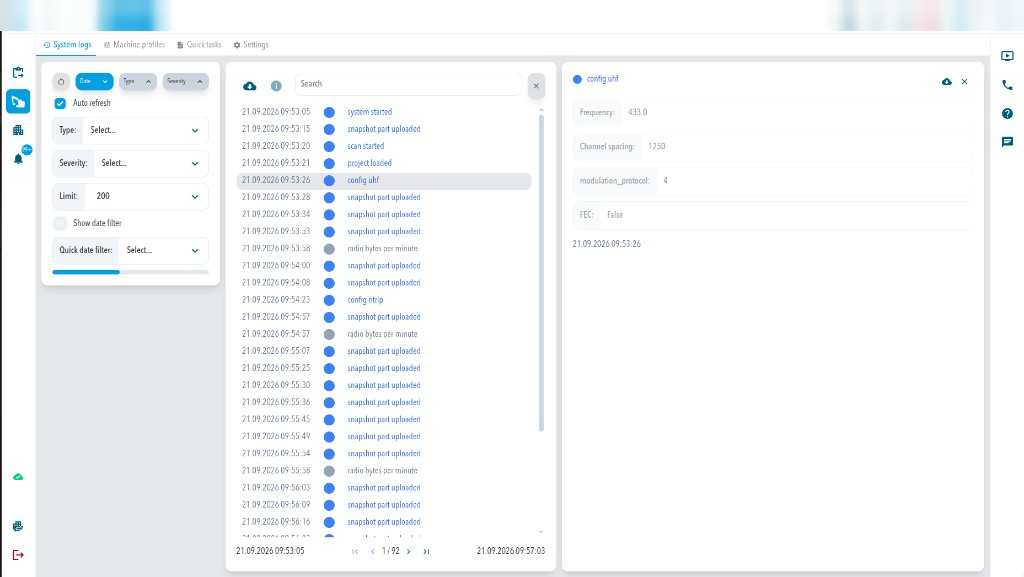
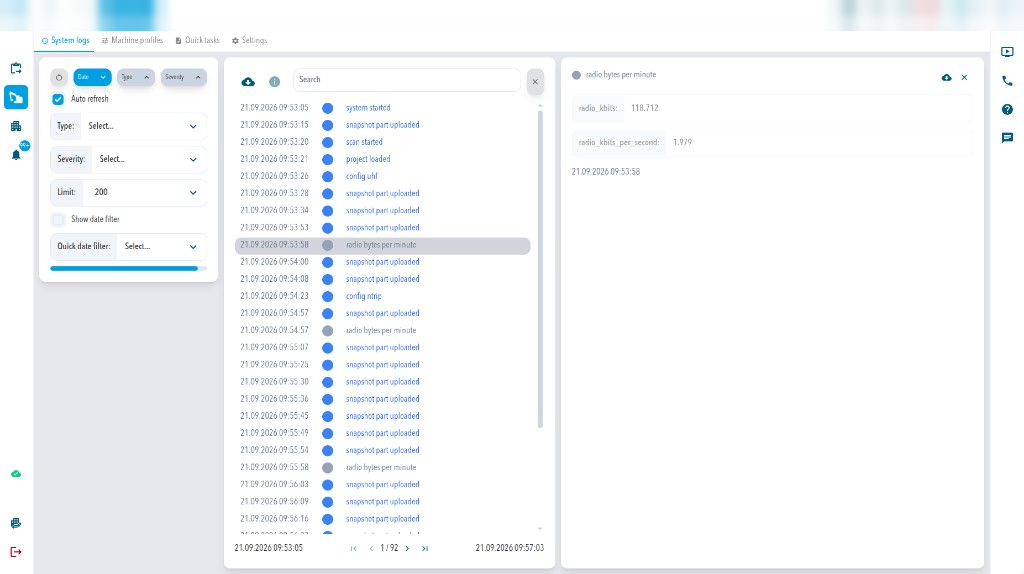
Open System logs and look for these entries. The examples are from a 400 MHz system:
If radio bytes per minute entries never appear, no data reaches the GNSS receiver. Go back through the checks above, then check the antenna and the cable.
| Log entry | What it tells you |
|---|---|
| config uhf | Which UHF configuration was applied: frequency, channel spacing, modulation protocol, and FEC. |
| radio bytes per minute | Radio traffic in kilobits (radio_kbits) and kilobits per second (radio_kbits_per_second). It appears only while there is traffic. |
Check the antenna and the cable
- Check that the radio antenna is mounted and the SMA connector is tight.
- Keep the radio antenna at least 1 m (3.3 ft) from other radio antennas.
- Check that no metal part blocks the antenna.
If corrections are still missing
Contact Sodex Support with the system and the time of the problem. See Install the SDX-Compact Hardware for the contact details.
Comments
0 comments
Please sign in to leave a comment.