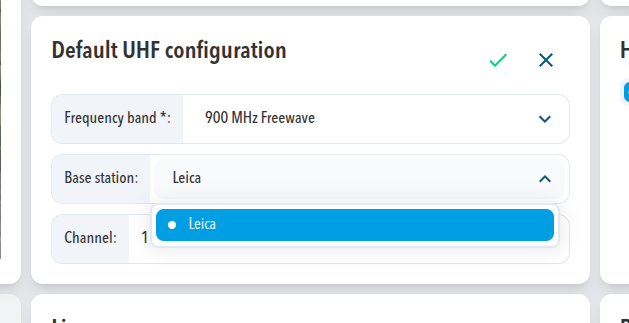
Set the system's UHF configuration to 900 MHz Freewave, choose Leica as the base station, and enter the channel that the Leica base station uses. SDX-Cloud then applies the configuration to the radio.
Prerequisites
- The system runs SDX-Framework 2.12.0 or newer.
- A Leica base station that transmits on 900 MHz.
- The channel number that is set on the Leica base station.
- Access to the system in Project Settings > Systems.
Steps
- Go to Project Settings > Systems.
- Open the settings of the system you want to configure.
- On the Settings tab, find Default UHF configuration.
- Set Frequency band to 900 MHz Freewave.
- Set Base station to Leica.
- Set Channel to the channel of the Leica base station, from 0 to 13. The number must match exactly.
- Select the green check to apply the selected settings.
Expected result
The system applies the selected settings. When the base station transmits on the same channel, the system receives its corrections.
Other base stations on 900 MHz are not covered by this article. Contact Sodex Support before you plan the site. The radio does not accept CMR corrections.
Comments
0 comments
Please sign in to leave a comment.