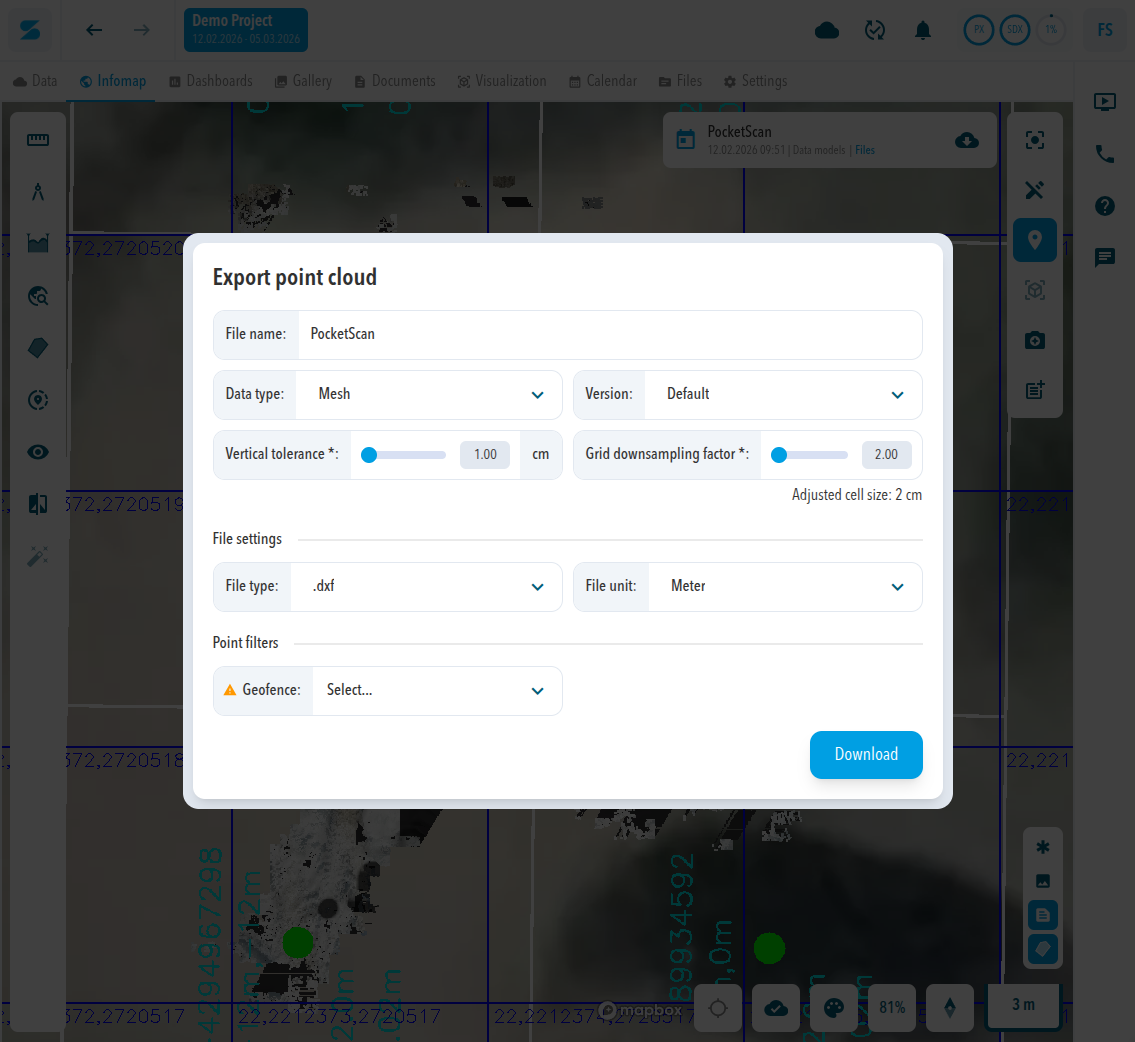
The Export point cloud dialog exports a data model. Which settings it shows depends on the Data type. This page lists every setting and its options. For the steps, see Export a point cloud, contours, or mesh.
Where to find the dialog
On the Data tab, click the Export icon in the row of a data model. In the Infomap, click the cloud icon (Export) on the data card at the top right. The dialog is the same in both places.
Settings by data type
| Data type | Settings shown | File type |
|---|---|---|
| 3D Point cloud | Resolution (cm), File unit, Geofence, Colorized by | .las, .laz, .e57, .xyz, .ply, .csv |
| 2D rasterized point cloud | Version, Resolution (cm), File unit, Geofence, Colorized by | .las, .laz, .e57, .ply, .xyz, .csv |
| Contours | Contour interval (m), Version, Resolution (cm), File unit, Geofence | .dxf, .xml |
| Mesh | Version, Vertical tolerance (cm), Grid downsampling factor, File unit, Geofence | .dxf, .xml |
Settings
| Setting | Options and meaning |
|---|---|
| File name | Name of the downloaded file. Prefilled with the name of the data model. |
| Version | Default or Manipulated. |
| Resolution | Required, in cm. |
| Contour interval | Distance between contour lines, in m. Contours only. |
| Vertical tolerance | Required, in cm. Default 1.00. Mesh only. |
| Grid downsampling factor | Required. Default 2.00. Mesh only. The dialog shows the resulting Adjusted cell size below the field. |
| File type | .las and .laz (Unlimited maximal file size); .e57, .xyz, .ply, .csv (Limited maximal file size). The file types offered depend on the data type, see the table above. |
| File unit | Meter, Feet, US survey feet. |
| Geofence | Exports only the points inside the chosen geofence of the project. Shows No options available when the project has no geofence. |
| Colorized by | Height gradient, Original color, Intensity (Grayscale), Intensity (RGB). Point clouds only. |
Grid downsampling factor
The factor sets the cell size of the mesh grid relative to the grid size of the data model. The dialog shows the result as Adjusted cell size: on a model with a 1 cm grid, factor 2 gives 2 cm, factor 4 gives 4 cm, and factor 10 gives 10 cm. Values below 2 are shown as 2 cm. A higher factor gives a larger cell size.
The grid size of a data model is shown under Open processed files in the row menu on the Data tab, in Metadata as GRID SIZE.
Comments
0 comments
Please sign in to leave a comment.