Pick the import path by what the DXF contains. A 3D surface or mesh model is imported as a 3D plan. Line-based CAD content is for SDX-CAD. If a DXF does not show where you expect it, you probably used the wrong path.
Before you start
- You know whether the DXF holds a surface or mesh (triangles) or lines and polygons.
- You are in the project that should hold it.
Pick the path
A surface or mesh model: import it as a 3D plan. Lines and polygons for drawing and measuring: use SDX-CAD, see SDX-CAD. Flat drawings to show on the map: see 2D Plans - Import and visualize.
Import a surface or mesh as a 3D plan
- Open the project and go to Data > 3D plans.
- Click the add button.
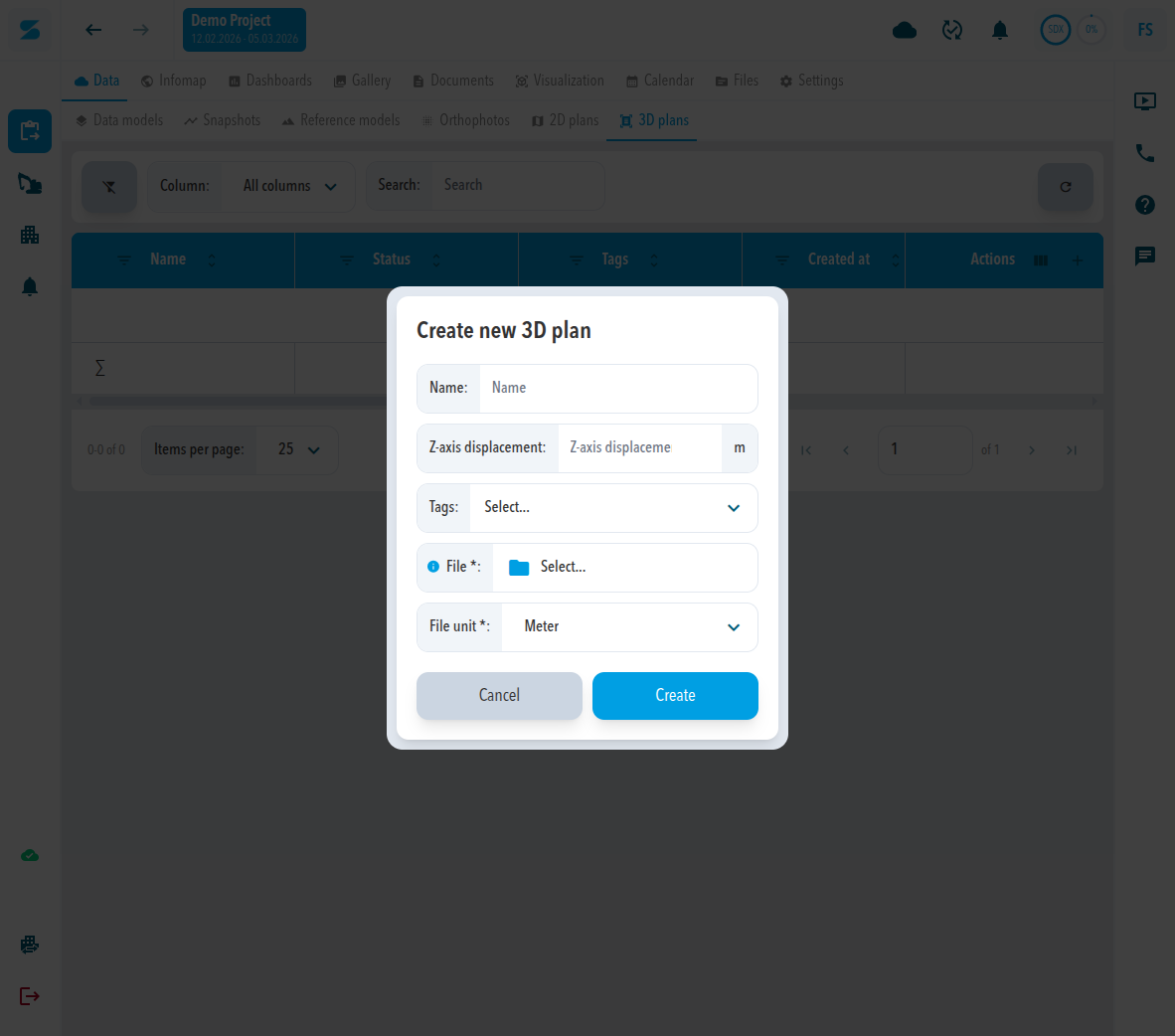
- In Create new 3D plan, enter a Name.
- Enter the Z-axis displacement in metres if the plan needs a vertical shift.
- Select the File and choose the File unit (the default is Meter).
- Click Create.
Expected result
The plan is listed under 3D plans with its name, unit, and file name.
Comments
0 comments
Please sign in to leave a comment.